01
Print & drain
The 16K LCD creates the model. The build platform then rotates and tilts to drain excess resin back into the vat.

DESKTOP RESIN PRINTING, RECONNECTED
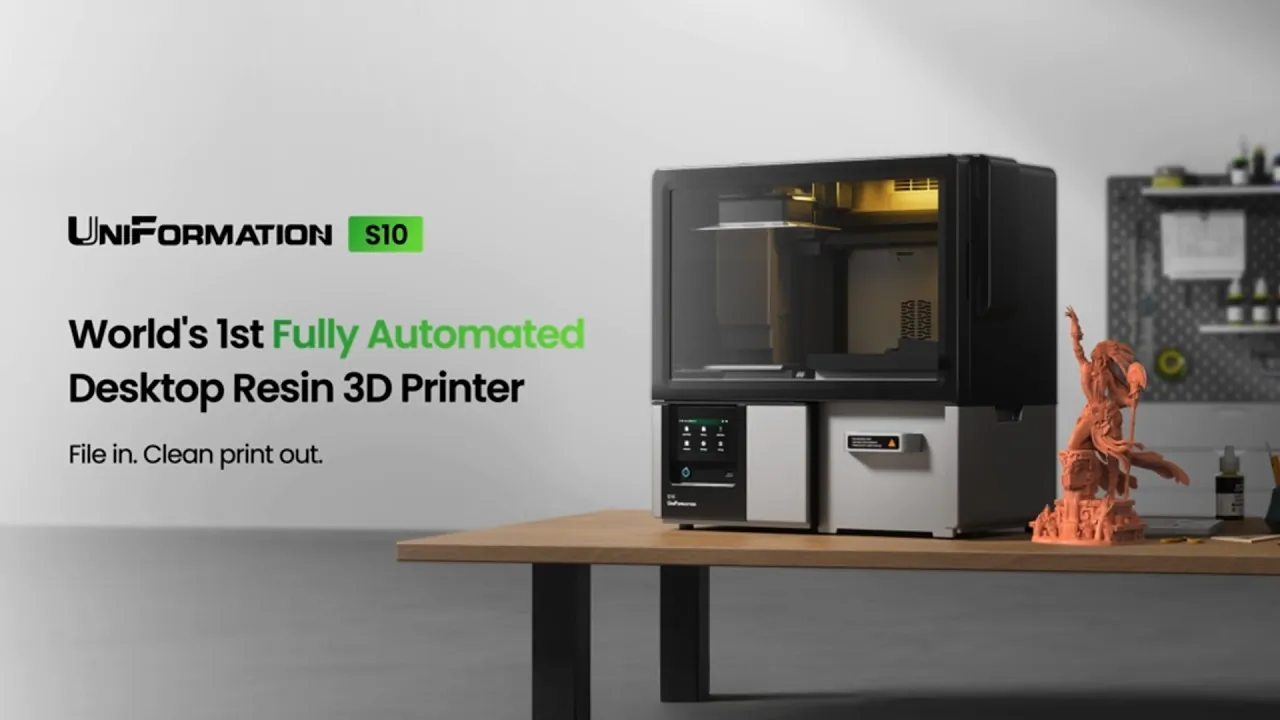
Keep the detail. Simplify the work between. A 16K resin printer that carries your models through washing and drying, too.
AN INDEPENDENT PRODUCT SPOTLIGHT BY BACKER NINJA
01 / THE WORKFLOW
Moving a wet build plate between machines is a familiar part of resin printing. S10 brings those repetitive steps into one coordinated system.
The 16K LCD creates the model. The build platform then rotates and tilts to drain excess resin back into the vat.

The platform moves into the integrated wash area for two cleaning cycles, with draining between stages.

The platform turns toward the drying port. Warm air at 35–45°C helps remove remaining cleaning liquid.
After drying, remove the models and their supports, then complete final UV curing. Automatic curing is not part of this workflow; the S10 Curing Module is an optional accessory.
02 / FILE IN. CLEAN PRINT OUT.
Printing is only part of a resin project. S10 connects it with washing and drying so there is less equipment handling between your file and your next finishing session.
Selecting play loads the YouTube player.
03 / THE DETAIL STILL MATTERS
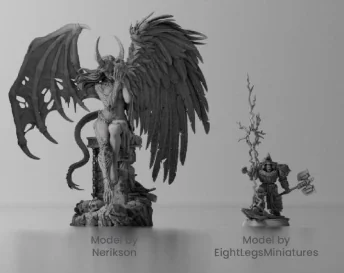
Armor textures, sculpted surfaces, intricate prototypes. The automated workflow starts with a high-resolution resin printing engine.
THE IMAGING CORE
15,360 × 6,540 pixels, with a pixel size of 14.52 × 19.25 μm, for fine resin-printing detail.
ROOM TO CREATE
The 223.03 × 125.9 × 200 mm build volume makes room for batches of miniatures, character figures and design prototypes.
CONTROLLED MOVEMENT
The Z-axis has a stated repeatability of ±0.005 mm. This is a motion specification; final part accuracy also depends on your resin and print setup.
04 / YOUR WORKBENCH, SIMPLIFIED
For a tabletop collection, a new sculpt or a small studio project, fewer manual transfers can make the rhythm of making easier.

05 / BUILD YOUR SETUP
Start with the printer. Choose software and optional accessories around how often you print and how you finish your models.
PREPARE YOUR MODEL
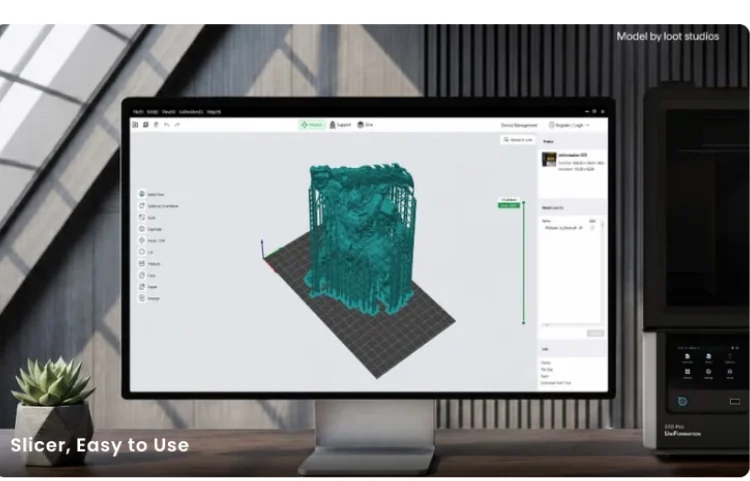
S10 supports CHITUBOX and Lychee Slicer. UniFormation Studio and the UniGalix model library are part of the planned connected ecosystem; check current software availability and network features with the creator.

OPTIONAL / S10 FLUID HUB
The optional hub supports up to three S10 printers, with washing for two simultaneously. Separate rough-wash and fine-rinse supplies let cleaner fluid serve the final rinse.
Two cycles, two configurations. Standalone S10 uses two wash cycles from the same cleaning-fluid supply. Separate fluid supplies for rough washing and fine rinsing require the Fluid Hub.
Final curing stays a separate step. The optional foldable S10 Curing Module works through the printer’s touchscreen. Check the selected reward for accessory inclusion.
06 / KNOW YOUR MACHINE
A few practical details to help plan your bench, printing projects and finishing setup.
07 / BEFORE YOU BACK
Know what happens automatically,
and what still needs your hands.
No. The automated sequence covers printing, washing and drying. You still need to remove the models, take off supports and complete final UV curing. The optional S10 Curing Module is a separate accessory.
No. S10 has integrated washing and runs two cycles in standalone mode. The optional Fluid Hub adds separate rough-wash and fine-rinse fluid supplies and support for multiple printers.
There is no fixed interval for every print. Model size, remaining resin, printing frequency and solvent condition all matter. Inspect the cleaning liquid regularly and follow the creator’s guidance for your configuration.
Yes. Both are listed as supported slicers. UniFormation Studio and UniGalix are part of the planned software ecosystem; confirm current release status, resin profiles and remote-control features before relying on them.
Yes. Use a ventilated workspace and suitable protective equipment when handling resin and cleaning liquid. Built-in air purification does not replace ventilation. The creator recommends external exhaust for extended use or higher print volumes.
Contents depend on your selected Kickstarter reward. Check the campaign for the latest printer bundles, optional accessories, shipping destinations, costs and estimated delivery. Crowdfunding delivery dates are estimates, and specifications and schedules may change.

LESS BETWEEN YOU AND YOUR NEXT PRINT
Explore UniFormation S10, compare current rewards and choose the setup for your next project.
View UniFormation S10 on KickstarterIndependent product spotlight by Backer Ninja. This page is not operated by UniFormation or Kickstarter.
We may earn a commission when you back through links on this page. Product information and visuals come from UniFormation’s campaign and official materials. Final specifications, rewards and delivery terms are set by the creator.