
01 / FIVE-NEEDLE SYSTEM
Let the colors keep flowing.
Set up as many as five thread colors. HALO-5 Pro switches needles automatically during the design, reducing manual thread changes between those colors.
Up to 5 colors before rethreading

FIVE NEEDLES. MORE POSSIBILITIES.
Give your artwork a new texture. Five-needle embroidery, automatic color changes and in-app digitizing for the things you love to make.
For personal creations, thoughtful gifts and small studios.
Automatic color changes
Maximum embroidery area
Up to, on garments
Turn artwork into stitch paths
01 / MAKE IT PERSONAL
A favorite illustration. A playful message. A gift with a story. Explore the textures and details of HALO’s finished embroidery examples.
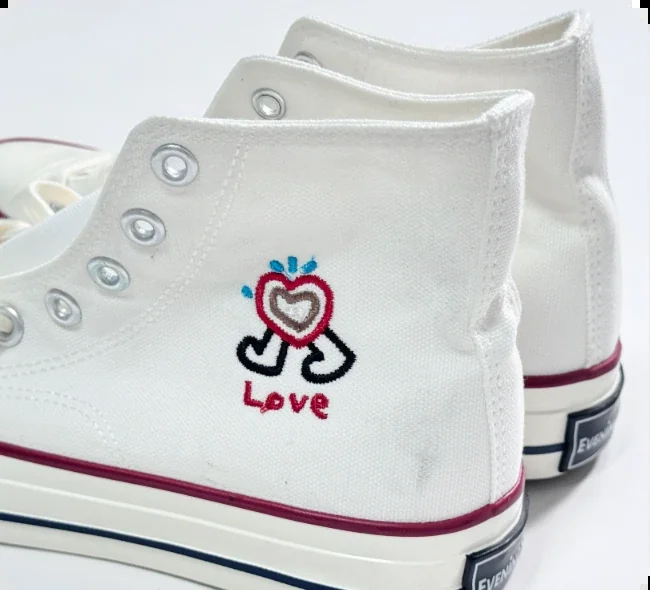

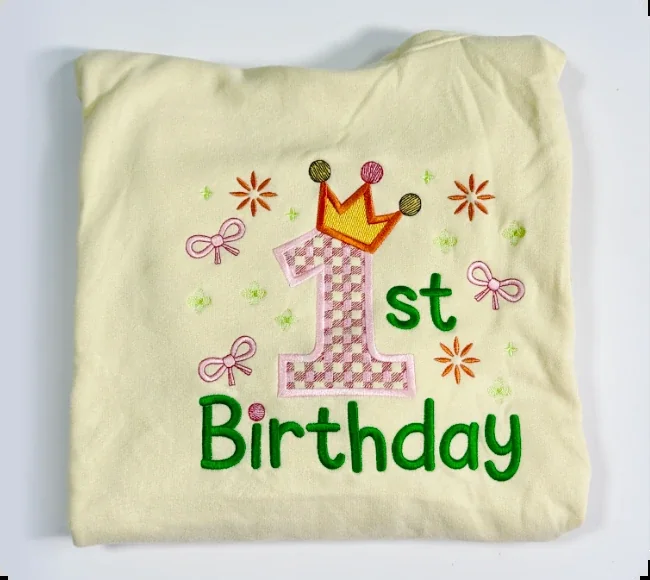
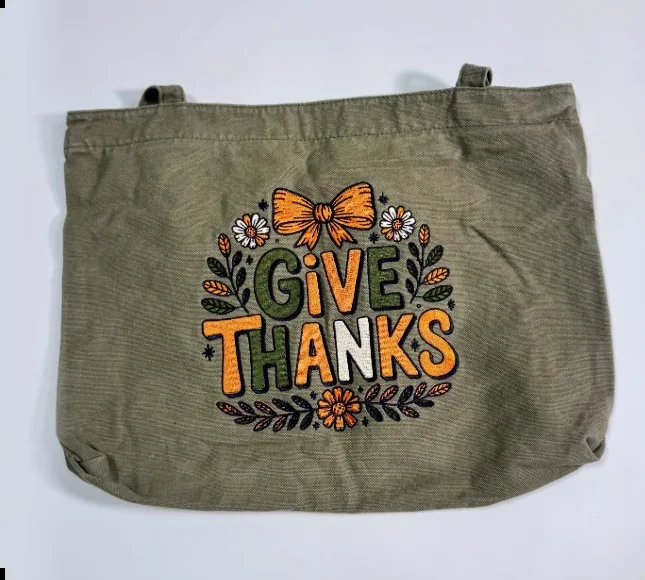
Project requirements vary by fabric, stabilizer and frame. Specialty frames depend on the selected bundle or add-ons.
02 / THE CREATIVE TOOLKIT
Keep more of your attention on the design, with a multi-needle system and a connected path from artwork to embroidery.
01 / FIVE-NEEDLE SYSTEM
Set up as many as five thread colors. HALO-5 Pro switches needles automatically during the design, reducing manual thread changes between those colors.
02 / IN-APP AUTO-DIGITIZING
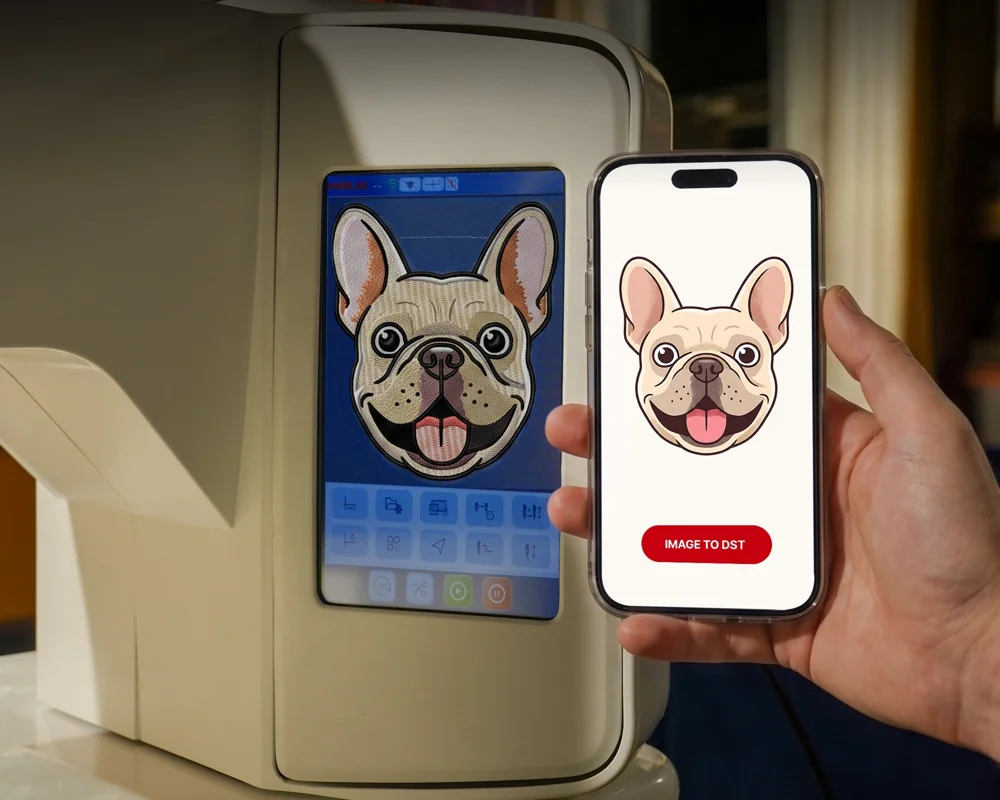
Convert artwork into embroidery paths in the HALO App and preview the simulated stitching before starting. For intricate artwork, optional paid manual digitizing offers another route.
03 / ROOM FOR THE WHOLE IDEA
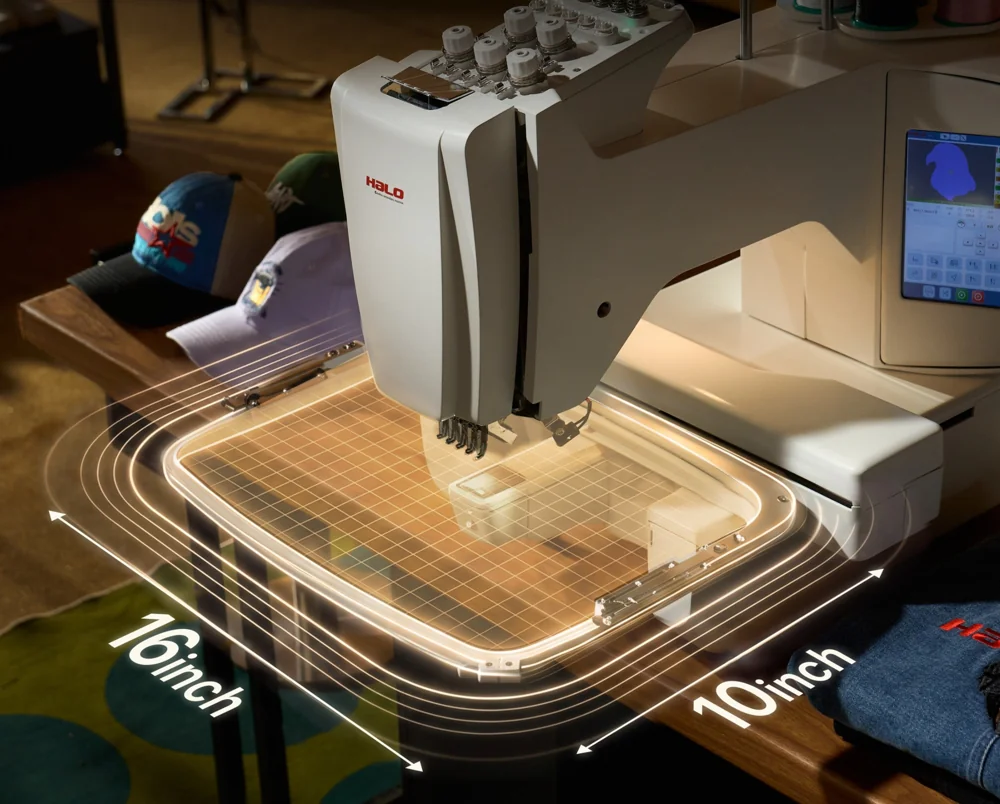
A maximum 10 × 16-inch embroidery area makes room for larger compositions. Choose a frame that suits the design and the item you want to personalize.
More than five colors? Plan a thread change for the additional colors.
See campaign details03 / FROM ARTWORK TO FABRIC
Digitizing prepares the design. Framing and threading prepare the machine. Both are part of getting a good stitch.
Use the HALO App to digitize artwork, review the stitch preview, or choose a design from the onboard library.
Choose the appropriate frame, hoop the fabric with suitable stabilizer and load the thread colors for your project.
Check the design position and settings before starting. The five-needle system handles the programmed color changes among the loaded threads.

The HALO App is planned for iOS and Android. At campaign launch, HALO describes development as complete with further tuning and testing before delivery; confirm current app availability and requirements on the campaign.
04 / A CLOSER LOOK
Automatic needle changes keep multicolor work moving; in-app digitizing prepares your artwork for embroidery. Get to know the HALO-5 in the brand’s introduction.
Playing the video connects to YouTube and is subject to its privacy practices.
05 / CHOOSE WHAT YOU CREATE
Garments, caps and harder-to-reach areas call for different setups. Match the frame selection to the work you actually want to make.
Bring illustrations and lettering to everyday garments and gifts. Begin with a manageable design and test your fabric setup.
Prepare colors, frames and designs for your next run of personalized pieces. Speed and results depend on the design and material.
HALO’s bundle lineup provides a starting point. Review the current reward contents before choosing.

Machine, garment frame 4-pack and bobbin winder.

Adds a cap frame to the garment-focused setup.

Adds cap, shoe, sock, pocket and magnetic frames to the garment-frame setup.
Specialty frames are bundle-dependent or available as add-ons. Current pricing, contents and availability are shown on the campaign.
06 / THE PRACTICAL DETAILS
A single-head, five-needle machine with a touchscreen and Wi-Fi / USB connectivity. Check your project files and workspace before selecting a reward.
Review rewards & options07 / BEFORE YOU BACK
Understand the creative workflow, accessory choices and crowdfunding commitment before deciding.
The machine can automatically switch among five loaded thread colors. Designs needing more colors require you to plan additional thread changes.
The HALO App is designed to convert artwork into stitch paths from a mobile device, without a PC for that workflow. It is planned for iOS and Android; confirm current availability, supported devices and software terms on the campaign.
Artwork complexity and the fabric setup affect the result. Review the digitized stitch preview and test the design. HALO also offers optional paid manual digitizing for intricate designs.
HALO provides specialty frame options for caps, shoes, socks and pockets. The required frame depends on the item and may be included in a particular bundle or offered as an add-on.
The Essential lineup shows a garment frame 4-pack and bobbin winder; Advanced adds a cap frame, while Ultimate includes more specialty frames. Check the current reward description for the exact contents and any add-ons.
Use the campaign link to review the current rewards, shipping destinations, delivery estimates, warranty and updates. Shipping fees and addresses are described as being collected after the campaign through the backer survey. Estimates may change.
Backing helps fund a project. Manufacturing, software development and delivery can change, and rewards are not guaranteed. Read the campaign’s risks, updates and fulfillment terms before pledging.
FROM AN IDEA TO SOMETHING YOU CAN FEEL
Explore HALO-5 Pro and choose the setup that fits your creative plans. Find current rewards and project updates on Kickstarter.
Explore HALO-5 Pro on Kickstarter Explore more campaignsBacker Ninja is an independent crowdfunding discovery and promotion site, not HALO or Kickstarter. We may earn a commission if you back through links on this page.
Product imagery is supplied by HALO. Campaign specifications and plans may change; review the project before backing.