
3D printing · Kickstarter
Co Print Quadro
Four independent toolheads for multicolor 3D printing.
Keep up to four colors or materials loaded in dedicated nozzles. Quadro switches toolheads as the print calls for them, reducing the need to flush a shared nozzle between colors.
Backer Ninja may earn a commission if you pledge through this page.

- Toolheads
- 4 independent
- Build volume
- 300 × 300 × 300 mm
- Filament setup
- One spool per toolhead
What can you print with Co Print Quadro?
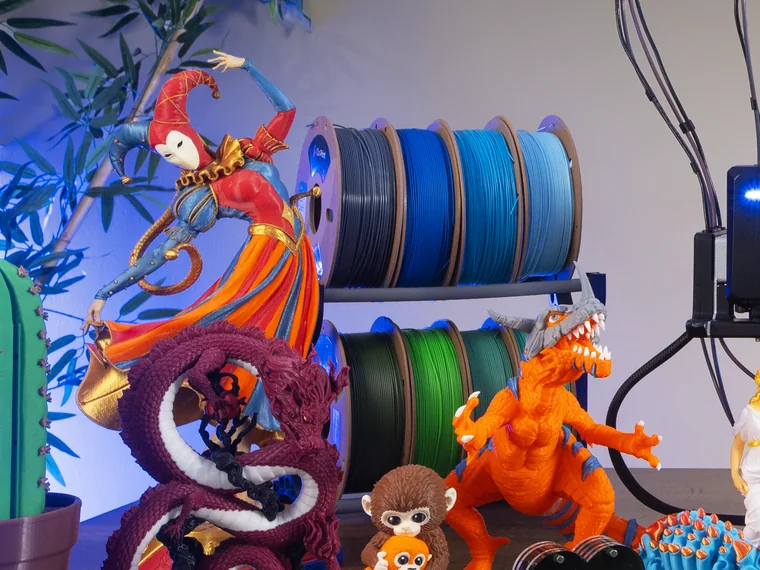
Assign a different color or compatible material to each toolhead. A display model can use several colors in one job, and a functional design can combine rigid and flexible parts.

Room for taller models
All four toolheads reach the full 300 mm build volume, including when you use several colors in one print.
Color built into the print
Give lettering, surface details and character features their own filament assignments.

Rigid and flexible in one job
Use PLA for structure and TPU for flexible areas when the design and materials work together.
One rail. Four tools ready to print.
Co Print calls this setup IQEX, short for Independent Quad Extruder. Each head has its own motor, filament path and nozzle on the same X-axis.

- Assign a spool to each head
- Each nozzle keeps its assigned filament loaded and can use a temperature suited to that material.
- Switch heads during the print
- As one head moves toward its dock, the next can move into position. Each nozzle keeps its own color, so the printer avoids flushing one color out to load the next.
- Park and align the nozzles
- The QDock seals a parked nozzle to help control ooze. Automatic calibration measures toolhead offsets to help align layers across heads.
Four loaded nozzles give each color its own path.
Dedicated nozzles keep each color available during the print. The same arrangement lets you reserve one head for a flexible filament or a compatible support material.

Co Print 3D · Official launch video · 4:33
Watch on YouTubeCo Print Quadro specs and setup
Plan for the footprint of an open-frame printer and leave room for the bed to move. Choose any add-ons around the filament and projects you use.
- Build volume
- 300 × 300 × 300 mm
- Machine dimensions
- 780 × 620 × 515 mm
- Toolheads
- 4 independent toolheads
- Maximum hotend temperature
- 300 °C
- Build plate
- Flexible PEI-coated steel sheet
- Open-frame materials
- PLA, PETG, TPU, PVA and PLA-CF
- Materials with optional enclosure
- ABS and ASA
Before you back Quadro
How many colors or materials can I load?
Up to four in one job, with one spool assigned to each toolhead. You can use those slots for different colors, different compatible materials, or a mix of both.
Can I print TPU or soluble supports?
Quadro supports flexible TPU and soluble PVA. A separate nozzle can hold the support material while another prints the model. Check material compatibility and keep moisture-sensitive filament dry.
When would I need the optional enclosure?
Co Print lists ABS and ASA for use with the optional enclosure. PLA, PETG, TPU, PVA and PLA-CF are listed for the standard open-frame configuration.
Where can I check shipping and delivery?
Open the Kickstarter campaign and check the selected reward for destination availability, shipping charges and estimated delivery.
Find your Quadro reward.
See current pledge options, add-ons and delivery estimates on Kickstarter.